Digital BridgeReal-time Plumbing • Woodworking • Ceramics
Educational Application with Distance Learning Tools for Technical Specialties
Introduction

Διαδυκτιακή Γέφυρα
Διαδραστική Πολυμεσική Εκπαιδευτική Εφαρμογή για Τεχνικές Δεξιότητες
Δημιουργός: Ιγνάτιος Σταμέλος
Αυτή η εφαρμογή αναπτύχθηκε για εκπαιδευτικούς σκοπούς στο πλαίσιο ακαδημαϊκής έρευνας.
Tap to test
the prototype
Digital Bridge
An interactive multimedia educational platform designed to transfer technical skills from experienced mentors to young learners.
Product
Educational Platform with live streams
Methods Used
Market and user research
Competitor app analysis
User Personas
User Flows
Wireframes
Interactive Prototype
Testing
Research & Foundations
Foundations
Problem
Designing an app that bridges technical skill education with digital means — and actually works.
The idea started from a social gap: who would benefit most from a platform with real impact?
Purpose
Mentors teach remotely with community.
What I Learned
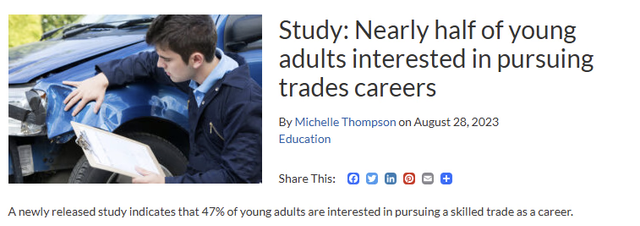
Existing platforms focus on technology & academia. The audience craves real skills.
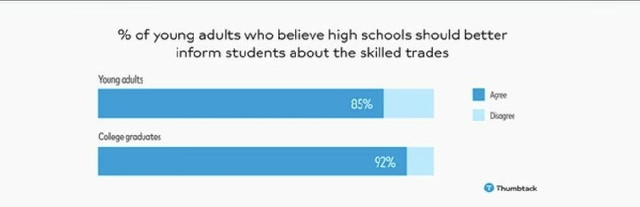
There’s strong interest in professional development, but a huge gap in mentoring and practical guidance.
Competitor Matrix
| Core Format | Monetisation | Interaction / Community | Technical Hands-On Skills Focus | Free Access Model | |
|---|---|---|---|---|---|
| Digital Bridge | Live + recorded + community, mentor-led technical skills | Free to users; optional donations to mentors | Live chat, Q&A, whiteboard, forum, real-life events | High focus on hands-on technical skills (plumbing, woodworking, ceramics etc) | 100% free to join |
| Skillshare | Recorded video lessons (mainly creative + professional) | Subscription paid by learner | Some community/project interaction, but mostly self-paced videos | Some hands-on creative skills, less focus on live/mentored technical trades | Paid membership required |
| Udemy | Massive marketplace of courses (video) | Learner pays per course | Some Q&A, course review/community but typically one-to-many lecture format | Broad topic coverage including technical / trades but mostly asynchronous | Many paid, some free courses |
| Twitch | Live streaming platform (gaming and now other streams) | Users/streamers monetise via donations/subscriptions | Real-time chat, community, live interactivity | Live streaming strong, but not specifically technical skill learning platform | Free to watch; monetisation by viewers |
Unique Selling Point
A free, mentor-driven interactive livestream platform for hands-on technical skills (woodworking, plumbing, ceramics etc), combining live sessions, community interaction and on-demand tutorials — bridging the gap between traditional workshop learning and digital accessibility.
UX / UI Highlights
Gap Map
With this project, I aimed to bridge the gap between hands-on learning and digital education — creating an interactive, accessible experience for adults who want to learn technical skills.
Personas & Anti-Persona
Maria
Aspiring Woodworker (Student)
Goals
- Learn practical woodworking skills.
- Connect with experienced mentors.
- Creative expression and financial independence.
Needs
- User-friendly app to find mentors with skill/location filters.
- Variety of learning formats (live, pre-recorded, project-based).
- Interactive features in live sessions (Q&A, polls).
Challenges
- Limited experience with tools and workspace.
John
Retired Electrician (Mentor)
Goals
- Share knowledge and expertise.
- Contribute to the community and stay active post-retirement.
- Additional income through mentoring.
Needs
- Simple process to become a mentor.
- Student safety verification.
- Flexible communication options (chat, video, messaging).
- Track lesson impact (reviews, views, live participation).
Challenges
- App learning curve.
- Limited availability due to other activities.
Kostas
Non-Interested User (Anti-Persona)
Traits
- Not interested in manual or technical skills.
- Avoids apps with active participation or mentoring.
- Wants quick entertainment or info without practical commitment.
Why It Helps
- Ensures the app focuses on the right users.
- Prevents overload with unnecessary features or wrong marketing.
These personas ensure the app stays focused on real users with needs for practical, interactive learning — avoiding unnecessary features and keeping the design scope-restricted and accessible.
USER FLOW
The user flow is designed to be intuitive and progressive — guiding learners from discovery to deep engagement while giving mentors clear paths to contribute and connect.
Prototype Development Architecture
Design Phase
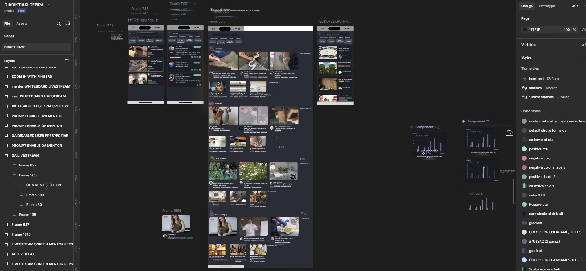
Defining user flows, creating a style guide (micro-design system for typography, colors, consistent rules), initial wireframes and UI design in Figma.
Logic & React Patterns
Using state for flow changes, useState for navigation, Role Logic (Learner/Mentor), Auto Switch via state + timers.
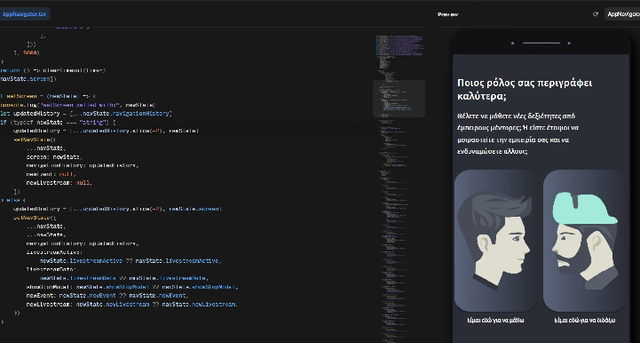
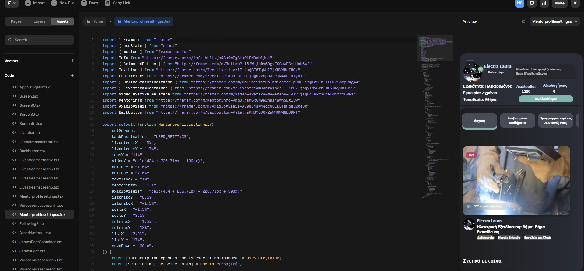
Framer Motion Integration
Breaking down the app into reusable components with props, Child/Parent architecture, Props-based reuse.
Phone Mockups
Learner Perspective
9:41


Ryan Jones
Παρακολουθείς: Κατακτώντας τις Λοξές Κοπές: Βασικές Τεχνικές για Ξυλουργικά Έργα


Αποσύνδεση
Διαγραφή Λογαριασμού
Λογαριασμός και εφαρμογή
Λογαριασμός
Γλώσσα
Θέμα
FAQ
Συχνές Ερωτήσεις και feedback
Συχνές Ερωτήσεις FAQ
Υπέβαλε Πρόταση για νέες δυνατότητες
Βαθμολογήστε μας
Σχετικά με εμάς
Πληροφορίες για την Διαδυκτιακή Γέφυρα
Ακολουθήστε μας στο Instagram
Συμμετέχετε στην κοινότητα μας
Πολιτική Προστασία
Ο&Σ
Νομικά
Όροι και συνθήκες
Προσωπικά Στοιχεία
Μέντορες που ακολουθείς
Μαθήματα
Κοινότητα
Μετρήσεις

Mentor Perspective
9:41
John Jones
Μεταδίδει: Κατακτώντας τις Λοξές Κοπές: Βασικές Τεχνικές για Ξυλουργικά Έργα


Ειδικότητα: Ξυλουργός
Εμπειρία: 20+ χρόνια
Τοποθεσία: Aθήνα
Ακόλουθοι
Αξιολογήσεις
700
320
Ακολούθησε

Σχετικά με μέντορα
Ανεβασμένα Μαθήματα
Προγραμματισμένες Ζωντανές Ροές
Δωρεές
Αποσύνδεση
Διαγραφή Λογαριασμού
Λογαριασμός και εφαρμογή
Λογαριασμός
Γλώσσα
Θέμα
FAQ
Συχνές Ερωτήσεις και feedback
Συχνές Ερωτήσεις FAQ
Υπέβαλε Πρόταση για νέες δυνατότητες
Βαθμολογήστε μας
Σχετικά με εμάς
Πληροφορίες για την Διαδυκτιακή Γέφυρα
Ακολουθήστε μας στο Instagram
Συμμετέχετε στην κοινότητα μας
Πολιτική Προστασία
Ο&Σ
Νομικά
Όροι και συνθήκες
Μέντορες που ακολουθείς
Μαθήματα
Κοινότητα
Μετρήσεις
Usability Testing
6 unmoderated tests
Research with 6 unmoderated tests to understand real user needs.
Unmoderated
| Finding | User Quote | Fix / Suggestion |
|---|---|---|
| Clear and elegant concept | It's like Skillshare meets Thumbtack | Strengthen value proposition |
| Accessibility | Even in Greek it's easy | Keep accessible |
| Community feel | Love seeing who's new | Enhance interaction |
| No Like button | Like Instagram without likes | Add Like button |
| Broken content | Clicked and nothing happened | Fix non-clickable areas |
| Confusing math screen | Didn't realize it scrolled | Use arrow indicator |
| Avatar mismatch | Comment showed wrong avatar | Link correct profile |
| Playful fonts | Font looks outdated | Switch to modern fonts |
| Icons overlap text | Hard to read near icons | Fix spacing |
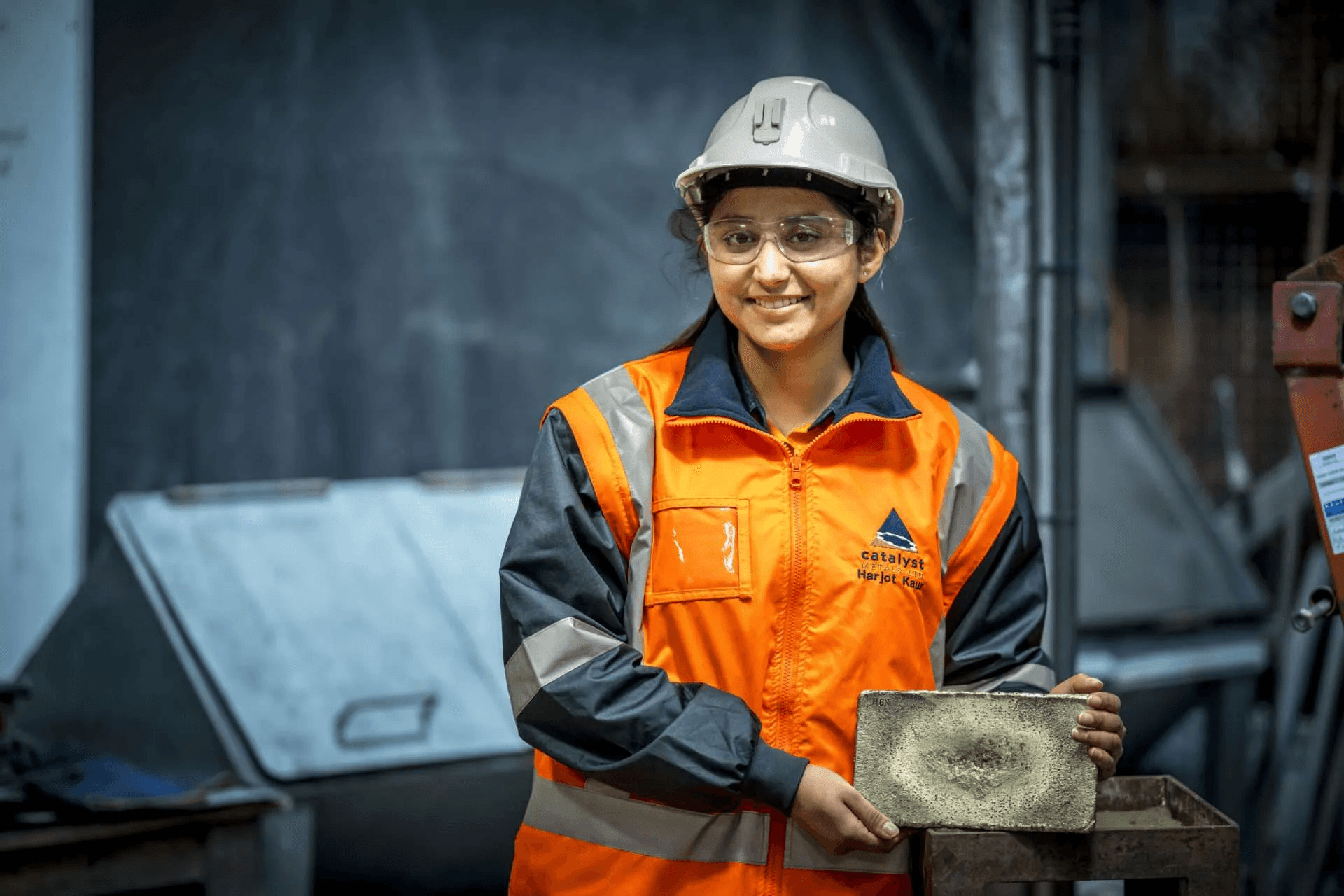
| Weird illustrations | Helmet guy is funny but weird | Replace with polished graphics |
| No skip signup | Want to explore first | Add Skip |
| Theme change hard | No comment | Persist state |
| Weak email validation | Could type anything | Stricter validation |
| Inconsistent profile | Used default name | Use real inputs |
Findings Distribution by UX Area
6 unmoderated tests · 14 insights
Design System
Διαδικτυακή Γέφυρα
Επαναφορά Λογαριασμού
Δεν υπάρχει ενεργοποιημένο QA για την ώρα.
Εάν ο μέντορας ενεργοποιήσει θα ενημερωθέιτε.
Q
A
Δεν υπάρχει ενεργοποιημένο Whiteboard για την ώρα.
Εάν ο μέντορας ενεργοποιήσει θα ενημερωθέιτε.
Ανέβασε Ποστ
Anetta Pren
Δεξιοτεχνία
Φιλικό προς αρχαρίους
Κυρίευσε την τέχνη της Μεταλλουργίας
Ryan Jones
Παρακολουθείς: Κατακτώντας τις Λοξές Κοπές: Βασικές Τεχνικές για Ξυλουργικά Έργα
Δεξιοτεχνία
Οθόνη Εγγραφής
Αρχική Οθόνη
Που θα ήθελες να προχωρήσεις;
Offline

Συνεδρίες Q&A σε πραγματικό χρόνο
Έγινε Αποδεκτό
Διαδραστικα Poll στην Ζωντανή Ροή
Σε εξέλιξη

Ενσωμάτωση στα μέσα κοινωνικής δικτύωσης για ζωντανή κοινή χρήση
Απορρίφθηκε

Συνεδρίες Q&A σε πραγματικό χρόνο
Έγινε Αποδεκτό
Περιγραφή
Πριν 4 μήνες
Σχόλια (2)
Προσθέστε μια λειτουργία Q&A σε πραγματικό χρόνο κατά τη διάρκεια ζωντανών ροών για να επιτρέψετε στους θεατές να κάνουν ερωτήσεις και να λάβουν άμεση απάντηση.

Λατρεύω αυτή την ιδέα! Θα ήταν φανταστικό να λαμβάνουμε άμεσα σχόλια σχετικά με αυτό που μαθαίνουμε.

Είμαι πολύ ενθουσιασμένη για αυτό το χαρακτηριστικό! Θα ήταν υπέροχο να έχουμε μια απευθείας γραμμή με τον μέντορα κατά τη διάρκεια του livestream
Σχολίασε κάτι....
Ολοκληρώθηκε
Η ροή ελέγχου ταυτότητας ολοκληρώθηκε, κλείστε αυτό το παράθυρο και επιστρέψτε στη Διαδικτυακή Γέφυρα
Dev Handoff & Iteration
How I Approach Developer Handoff
I organize components into clear, reusable modules with defined states and behaviors.
I document spacing, typography, and color usage thoroughly so developers can implement consistently.
I prioritize clarity over perfection—everyone should understand how each piece works without constant guidance.
Version control, naming conventions, and shared design tokens help bridge the gap between design and development.
Expected Impact
Reflections & Improvements
Focus on core functionality first; extra features can wait for iterations.
2. Establish responsive rules upfront
Define minimum tap targets, breakpoints, and gestures before finalizing layouts.
3. Keep design atomic
Use a consistent set of components, spacing, and shadows. Avoid exceptions.